
Install with Options APK v0.9.2 · Latest Version for Android
Install with Options uses Shizuku to install APKs with advanced flags: test-only apps, downgrades, split APKs and bypassing SDK limits.
- Version
- 0.9.2
- Updated
- Mar 15, 2026
- Size
- 12 MB
- Requires
- Android 7.0+
- Developer
- Zachary Wander
- Category
- Tools
- License
- MIT
- Package
- dev.zwander.installwithoptions
Screenshots
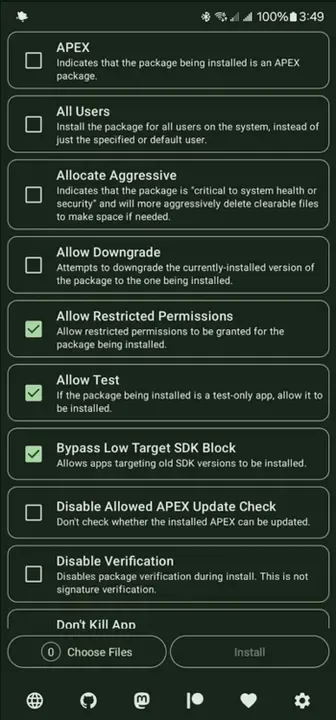
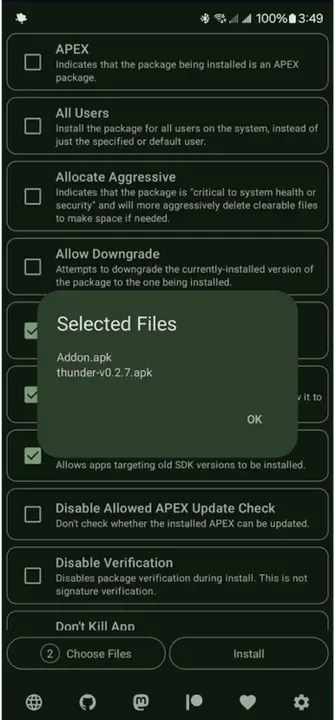
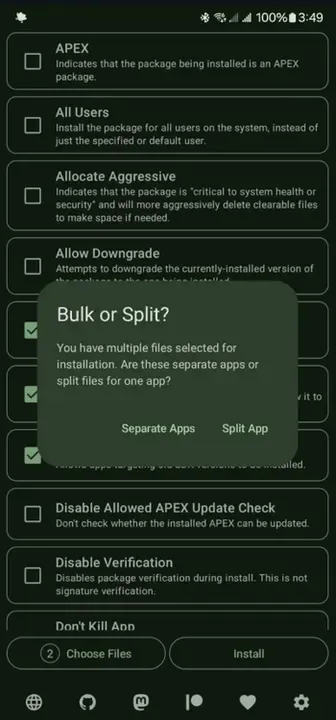
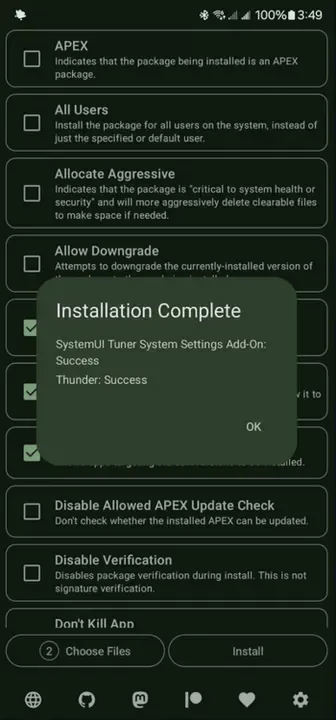
What is Install with Options?
Install with Options gives you the advanced install options normally only available through ADB on a computer. Using Shizuku, it can install test-only apps, allow downgrades and bypass Android 14’s block on very old target SDKs, directly on the phone.
Key Features
- Install split APKs and multiple apps at once
- Allow downgrades of certain packages
- Install test-only builds
- Bypass Android 14 minimum target SDK limit
- Runs with shell permissions via Shizuku
Getting Started
Install and start Shizuku first, then grant Install with Options access. Choose the APK files, tick the options you need and install.
Open Source and Privacy
Install with Options is developed in the open by Zachary Wander and released under the MIT license. The code is hosted at github.com/zacharee/InstallWithOptions, so anyone can check what the app does. The version on this page has no ads or tracking libraries flagged by IzzyOnDroid.
How to Install Install with Options APK
- Tap Download and get the Install with Options v0.9.2 APK (12 MB).
- Optional: compare the file’s SHA-256 checksum with the one on the download page.
- Open the file and allow your browser or file manager to install unknown apps if asked.
- Tap Install. Updates from the same source install over this one and keep your data, because they are signed with the same key.
Frequently Asked Questions
Is Install with Options free?
Yes. Install with Options is free and open-source software released under the MIT license. It has no ads and no paid version is required to use it.
Is this Install with Options APK safe?
The APK on this page is the original file published in the IzzyOnDroid repository, unmodified. Its SHA-256 checksum is listed on the download page so you can verify it, and the full source code is public.
What Android version does Install with Options need?
Install with Options v0.9.2 requires Android 7.0 or newer.
Where can I find the source code of Install with Options?
The source code is available at https://github.com/zacharee/InstallWithOptions. You can read it, report issues or contribute there.


