Clock (Open Source) APK v2.34 · Latest Version for Android
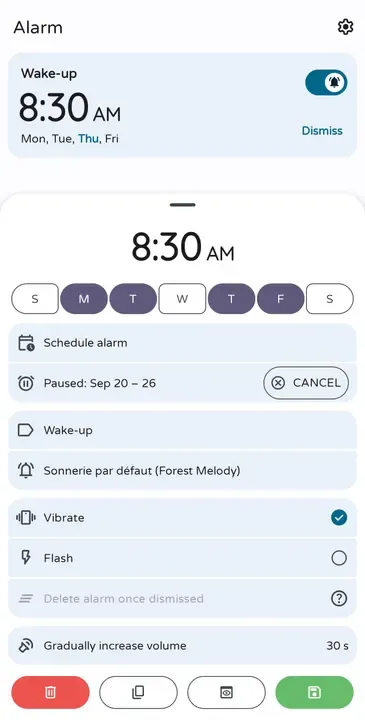
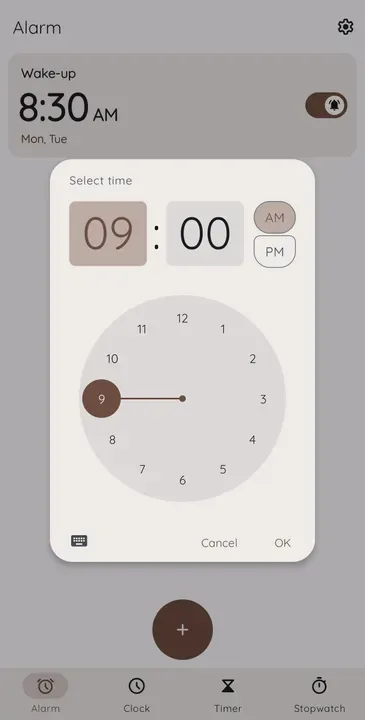
Clock is a fully offline alarm clock, timer and stopwatch based on AOSP, with date alarms, flip and shake to snooze and math challenges.
- Version
- 2.34
- Updated
- Oct 22, 2026
- Size
- 6.9 MB
- Requires
- Android 6.0+
- Developer
- BlackyHawky
- Category
- Tools
- License
- Apache-2.0
- Package
- com.best.deskclock
Screenshots

What's New in v2.34
- Improve alarm reliability and add major features.
- All other fixes and improvements are detailed here:
What is Clock (Open Source)?
This Clock app builds on the Android Open Source Project clock and adds many useful options. It has no internet permission and includes alarms, a timer, a stopwatch and world clocks.
Key Features
- Alarms for specific dates and time zones
- Flip, shake or button actions to snooze
- Math problems to dismiss alarms
- Timer, stopwatch and world clock
- No internet permission
Getting Started
Set it as your main alarm app and enable the dismiss challenge if you tend to oversleep.
Open Source and Privacy
Clock (Open Source) is developed in the open by BlackyHawky and released under the Apache-2.0 license. The code is hosted at github.com/BlackyHawky/Clock, so anyone can check what the app does. The version on this page has no ads or tracking libraries flagged by F-Droid.
How to Install Clock (Open Source) APK
- Tap Download and get the Clock (Open Source) v2.34 APK (6.9 MB).
- Optional: compare the file’s SHA-256 checksum with the one on the download page.
- Open the file and allow your browser or file manager to install unknown apps if asked.
- Tap Install. Updates from the same source install over this one and keep your data, because they are signed with the same key.
Frequently Asked Questions
Is Clock (Open Source) free?
Yes. Clock (Open Source) is free and open-source software released under the Apache-2.0 license. It has no ads and no paid version is required to use it.
Is this Clock (Open Source) APK safe?
The APK on this page is the original file published in the F-Droid repository, unmodified. Its SHA-256 checksum is listed on the download page so you can verify it, and the full source code is public.
What Android version does Clock (Open Source) need?
Clock (Open Source) v2.34 requires Android 6.0 or newer.
Where can I find the source code of Clock (Open Source)?
The source code is available at https://github.com/BlackyHawky/Clock. You can read it, report issues or contribute there.


